Docs / Data Management
Integrations
Integrations is your catalog of everything Indicate can connect to. It’s organized into three tabs, Sources, Destinations, and Warehouses, each showing all available connectors that can be set up for your space.
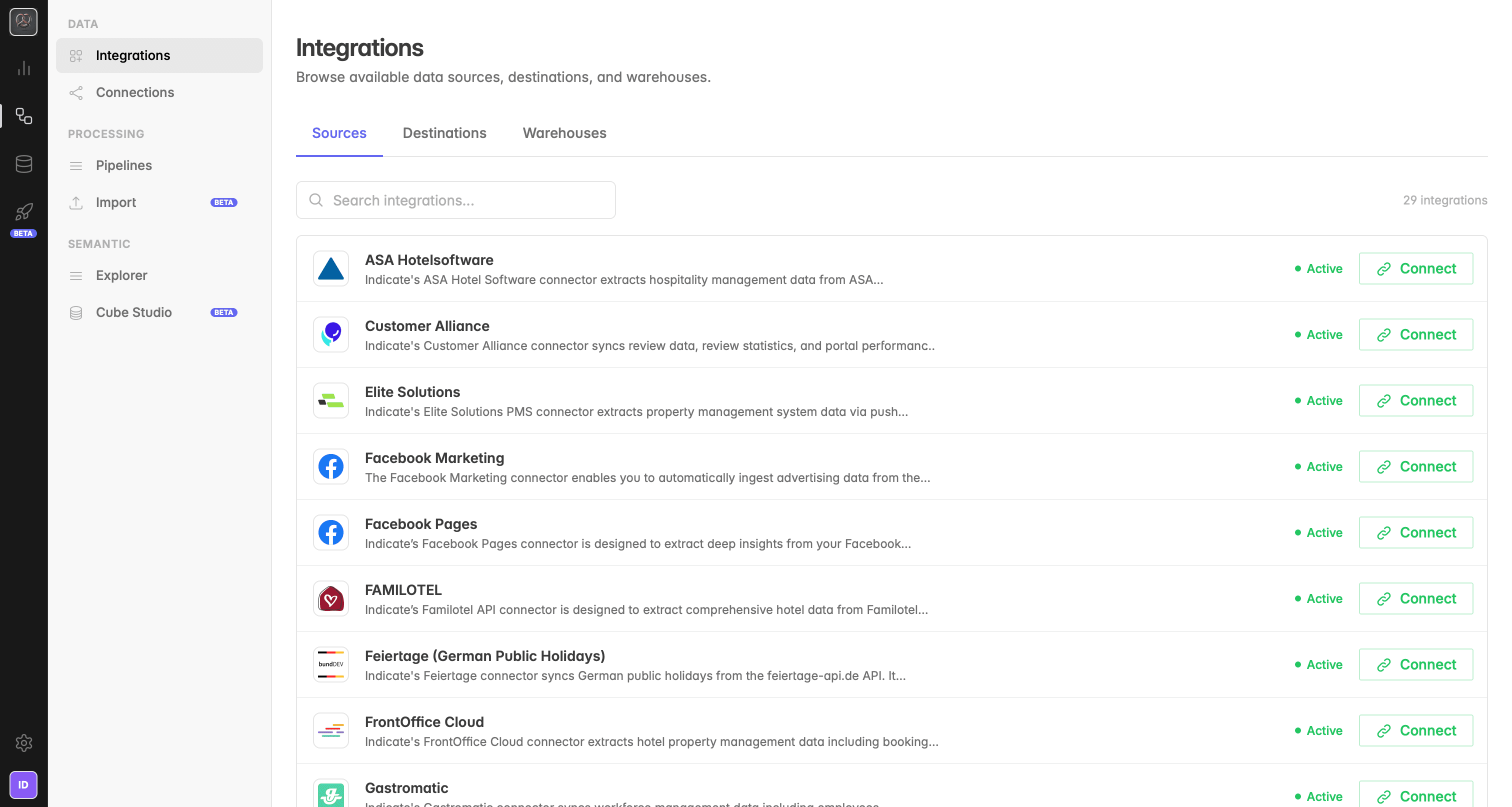
What you see in Integrations
The Integrations page is your catalog of everything Indicate can connect to. It is organized into three tabs:
Sources: all data sources that can be connected to pull data into Indicate (e.g. Google Analytics 4, MEWS, Facebook Marketing, Re:Guest)
Destinations: connectors that define where processed data is sent (e.g. Indicate Metastore, or your own destination)
Warehouses: storage integrations that Indicate writes data to (e.g. Indicate Lakehouse)
Each integration shows its status (Active) and a Connect button. Integrations that are already connected appear in your Connections page.
Integrations vs. Connections
Indicate separates the concept of what can be connected from what is connected:
Integrations:
The full catalog of all sources, destinations, and warehouses available in Indicate. These are the building blocks you can choose from.
Connections:
The live connections you have already set up. Only the integrations you have actively connected appear here, organized by type (Source Connections, Destination Connections, Warehouse Connections).
Troubleshooting
My integration is not listed in the catalog
Send us a request and we will add it. Open a ticket in the Help Center or send us an email at [email protected]. We are always happy to add new integrations to Indicate.
My software will never offer an integration or API
You can still bring your data into Indicate. Use the Import feature to upload your files manually as CSV (Parquet and JSON coming soon). See the Import article for the full setup.
Was this helpful?