
Delete a team member
Learn how to remove a team member from your space. Removing a member immediately revokes their access.
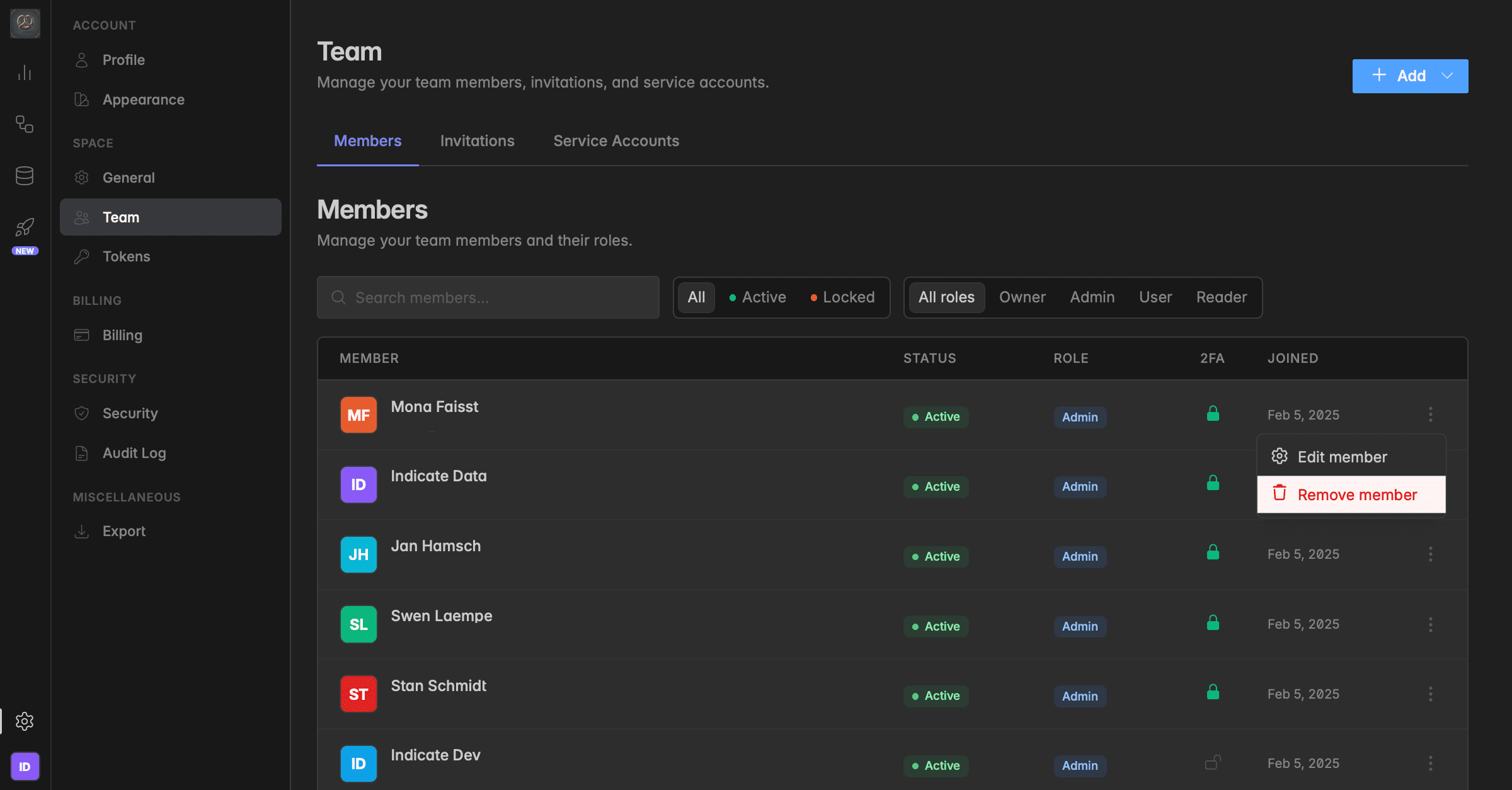
How to remove a team member
Only Owners and Admins can remove team members.
Navigate to
Settings→Team→Membersfrom the main sidebar.Locate the member you want to remove in the list.
Click the three-dot menu (⋮) on the right side of their row to open the actions dropdown.
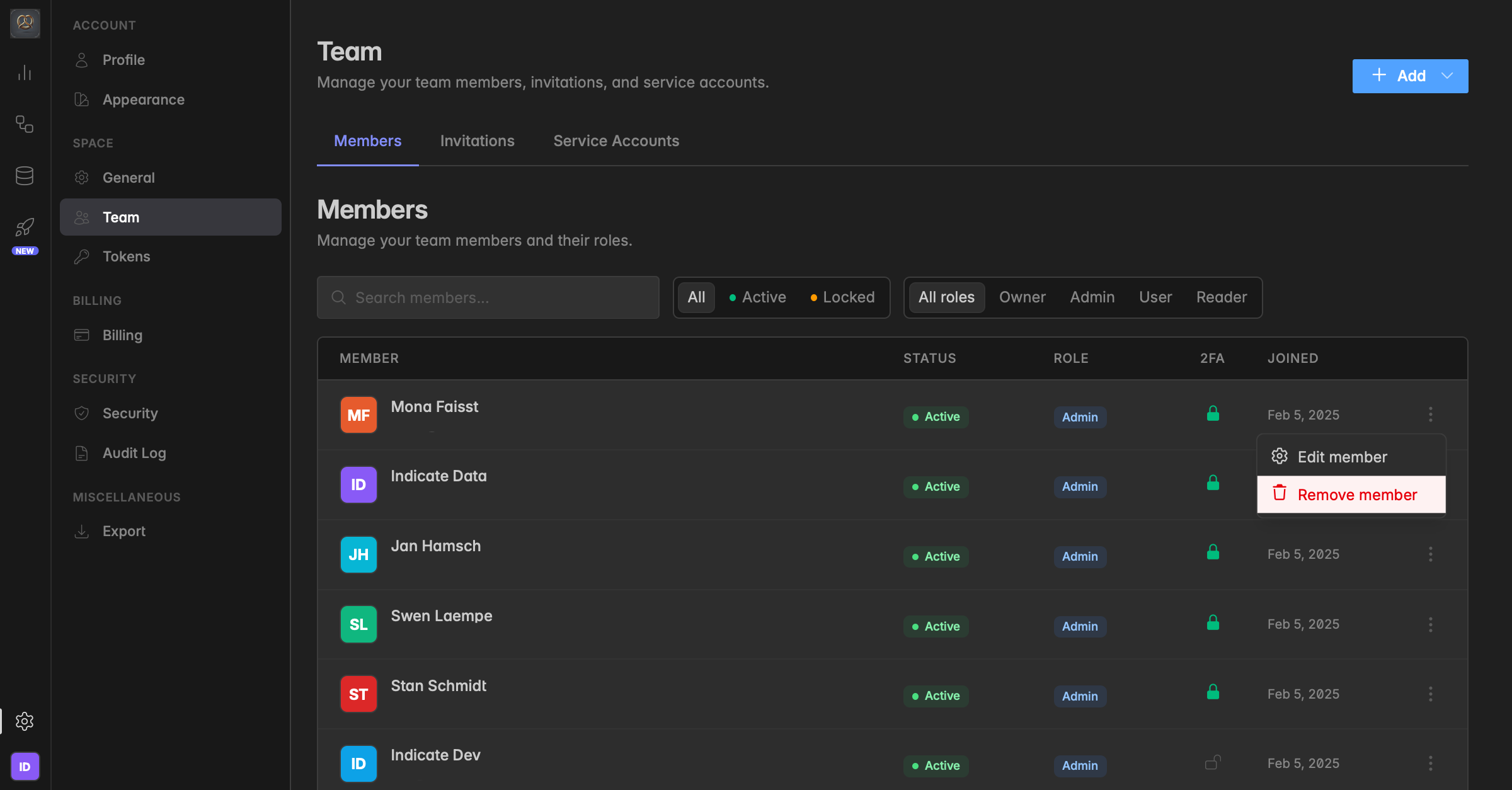
Select
Remove memberfrom the dropdown. Confirm the action in the dialog that appears. The member will immediately lose access to the space.
Removing a member revokes their access to this space only. Their Indicate account remains active and they can still be re-invited at any time.
Was this helpful?