
Audit Log
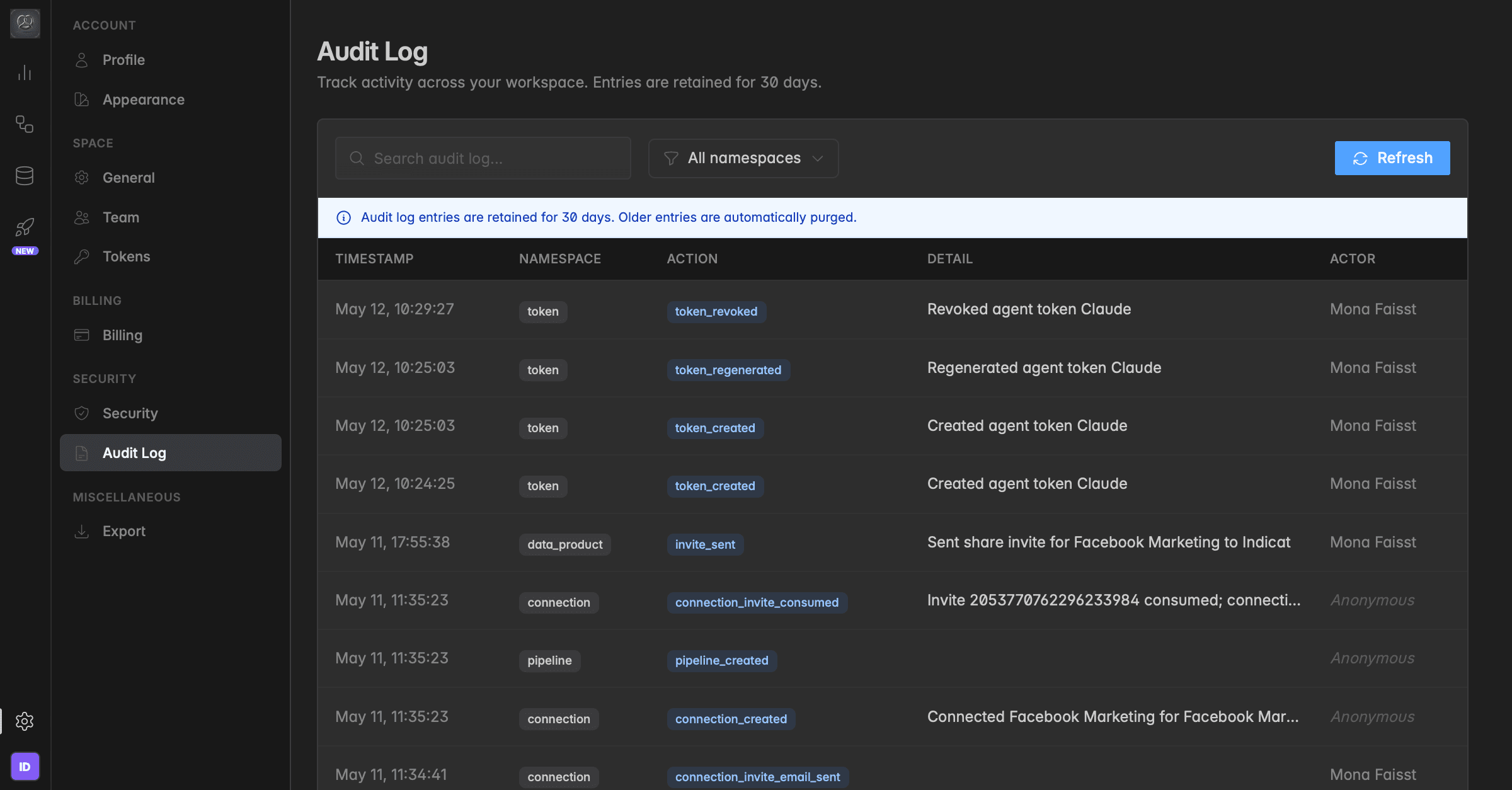
The Audit Log records every action taken in your workspace with timestamp, actor, and context. Use it to answer “who did what, and when?” for security reviews, troubleshooting, and compliance.
What the Audit Log is for
The Audit Log gives you a transparent, time-stamped record of activity across your workspace. It is the source of truth when you need to answer questions like:
Who created or revoked an API token?
When was a new connection added, and by whom?
Who invited the external partner to this data product?
Which pipelines have been created or modified recently?
Every meaningful state change in your workspace is captured, across tokens, connections, pipelines, invites, data products, and user actions, so you don't have to reconstruct history from memory or rely on individual team members to remember.
What gets logged
Each Audit Log entry contains five fields:
Timestamp — when the action happened (in your workspace's timezone).
Namespace — the type of object the action applies to. The following namespaces are tracked:
Connections— source and destination connections being created, updated, or removedData Pipelines— pipelines being created, modified, or executedData Products— changes and shares on data productsSpaces— workspace-level changesUsers— user invites, role changes, removalsService Users— automated or system accountsAPI Tokens— token creation, regeneration, and revocation
Action — the specific event that occurred, e.g.
token_created,connection_invite_consumed,pipeline_created.Detail — a human-readable description of what happened, including names of the affected objects.
Actor — the workspace member who performed the action. For events triggered by external parties (e.g. when an invited partner accepts an invite in their space), the actor is shown as Anonymous.
Filtering and searching
The Audit Log is built for quick investigation:
Use the search bar to find entries by keyword, for example a connection name, a token label, or a user name.
Use the namespace filter to narrow results to a single category, e.g. only
Connections, onlyAPI Tokens, or onlyUsers.Click Refresh to pull the latest entries without reloading the page.
Retention: 30 days. Audit Log entries are kept for 30 days. Older entries are automatically purged and cannot be recovered. If you need long-term audit records for compliance, export the relevant entries within the retention window.
Where to find it
Go to Settings → Security → Audit Log to view all workspace activity. The Audit Log is available on the Pro plan and above.
Was this helpful?