
Change formatting
Formatting settings change how numbers are displayed without altering data. Configure numeric style, rounding, units, trimming zeros, and prefixes or postfixes.
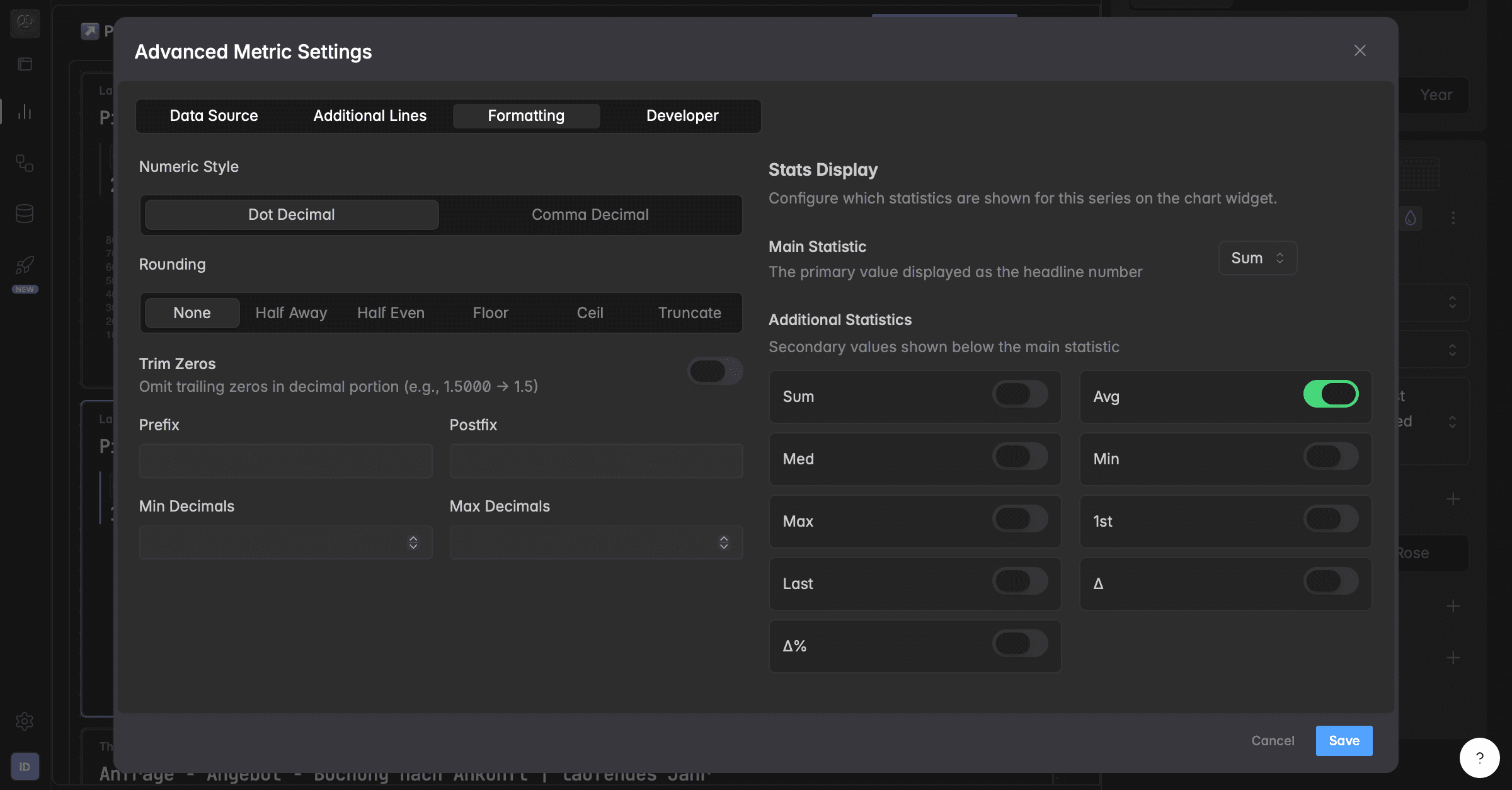
What does formatting change?
The Formatting tab inside Advanced Metric Settings defines how numeric values are displayed in your widgets.
It doesn’t change the data itself, only how it’s shown.
How do I open the formatting options?
Go to your dashboard.
Select your widget.
Scroll down and click Advanced Options.
Open the Formatting tab to customize how your values appear.
Numeric style?
Choose your preferred number format based on your region or reporting standards:
Dot Decimal (1,000.50): uses a dot for decimals.
Comma Decimal (1.000,50): uses a comma for decimals.
Rounding options?
Control how numbers are rounded.
You can choose between:
Option | What it does | Example |
|---|---|---|
None | Shows full precision (no rounding). | 2.3456 → 2.3456 |
Half Away | Rounds halfway values away from zero. | 2.5 → 3 |
Half Even | Rounds halfway values to the nearest even number (banker’s rounding). | 2.5 → 2 |
Floor | Rounds down to the next whole number. | 2.9 → 2 |
Ceil | Rounds up to the next whole number. | 2.1 → 3 |
Truncate | Cuts off decimal places without rounding. | 2.99 → 2 |
Trim zeros
Enable Trim Zeros to automatically remove unnecessary trailing zeros in decimals.
For example:
Before | After |
|---|---|
1.5000 | 1.5 |
3.1400 | 3.14 |
How do I add a prefix or postfix?
Add symbols or short labels before or after your values.
Setting | What it does | Examples |
|---|---|---|
Prefix | Adds something in front of the number | $100 €50 #1 |
Postfix | Adds something behind the number | 75% |
How do I control the decimals shown?
Define how many decimals are displayed:
Setting | What it does | Example |
|---|---|---|
Min Decimals | Sets the minimum number of decimals shown. | 2 → always show .00 |
Max Decimals | Sets the maximum allowed decimals. | 2 → 3.14159 → 3.14 |
Was this helpful?