
Indicate changelog
Claude & ChatGPT Connection, Custom Agents
Bring Indicate Into Claude and ChatGPT
Connecting Indicate to Claude and other chatbots has been possible since last year. Now there are three big updates:
connecting your chatbot is easier than before
ChatGPT works too
and you can reach Indicate via your chatbot from your phone.
You set up the connection once and then ask about your data right inside the AI chatbot you already use.
You can find Apps inside your Indicate space under "Chat with your data" in the left navigation bar.
Ask Your Data Anything, From Any Device
Once connected, the AI does the heavy lifting:
It moves through your data in seconds and answers all the questions you have.
It spots anomalies on its own, so you catch problems early.
It pulls from your different data sources and gives you clear action recommendations.
It scales across your properties, so you can ask about one or all of them at once.
Mobile: Reach Your Data On the Go
Open Claude or ChatGPT on your phone and Indicate is already connected there. Ask a question right in the app and get your numbers and recommendations on the go.
Easier to Connect
Connecting Indicate to your chatbot is now much simpler than before.
Here is how it works:
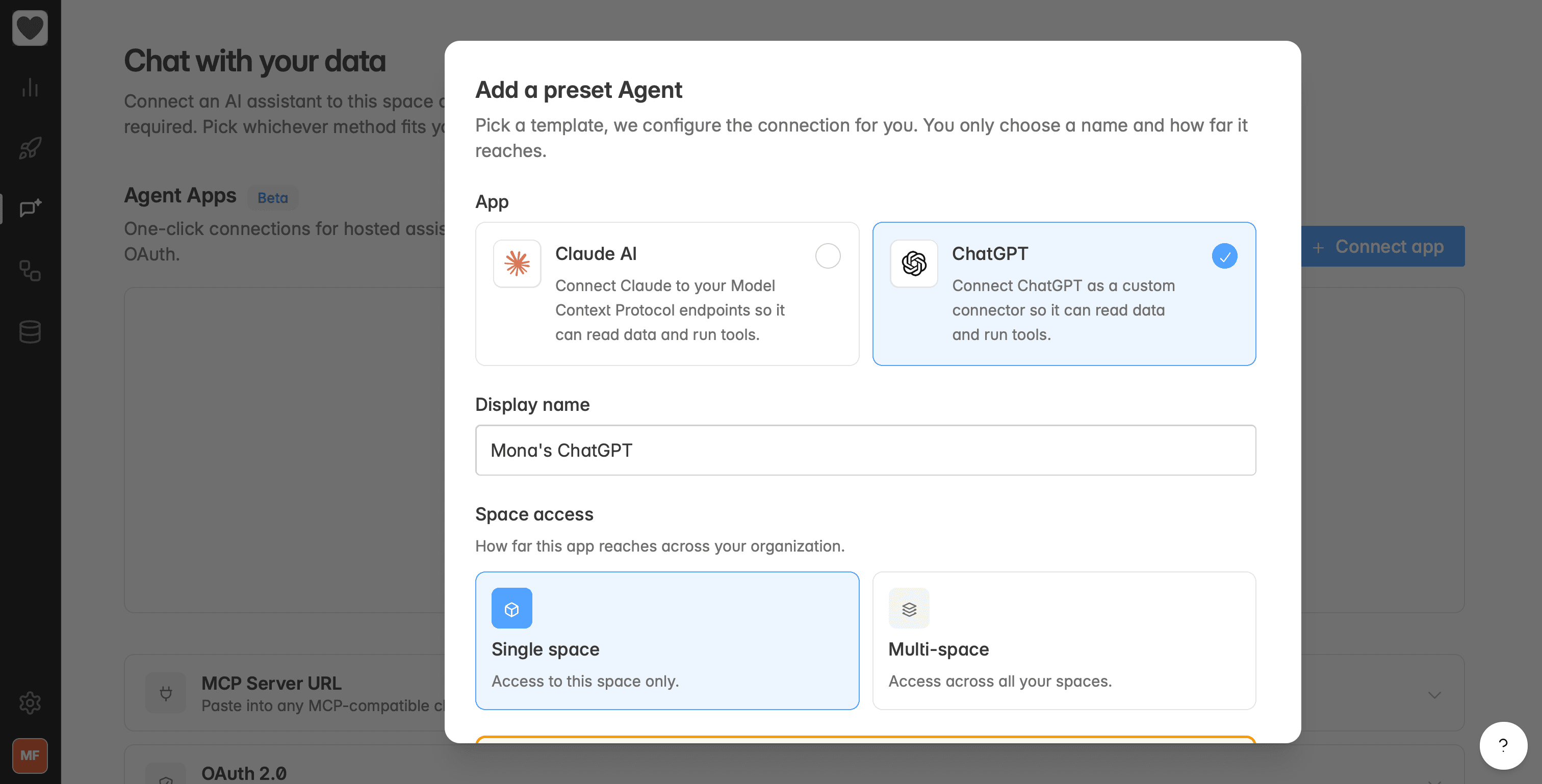
Go to "Chat with your data" and click the + Connect App button.
Pick Claude or ChatGPT and give the connection a name.
Decide whether the app connects to all the Indicate spaces you are a member of, or just the one where you create the app connection.
Click Create App. Only admins can do this, as you need to subscribe to an add on.
Indicate creates a Client ID and Client secret for you.
Open Claude or ChatGPT and use those credentials to add Indicate there.
Done. Now you can ask about your Indicate data right inside the chat.